FlexiShift
UX exam project focused on improving the experience of shift planning and scheduling in flexible work environments.
Overview
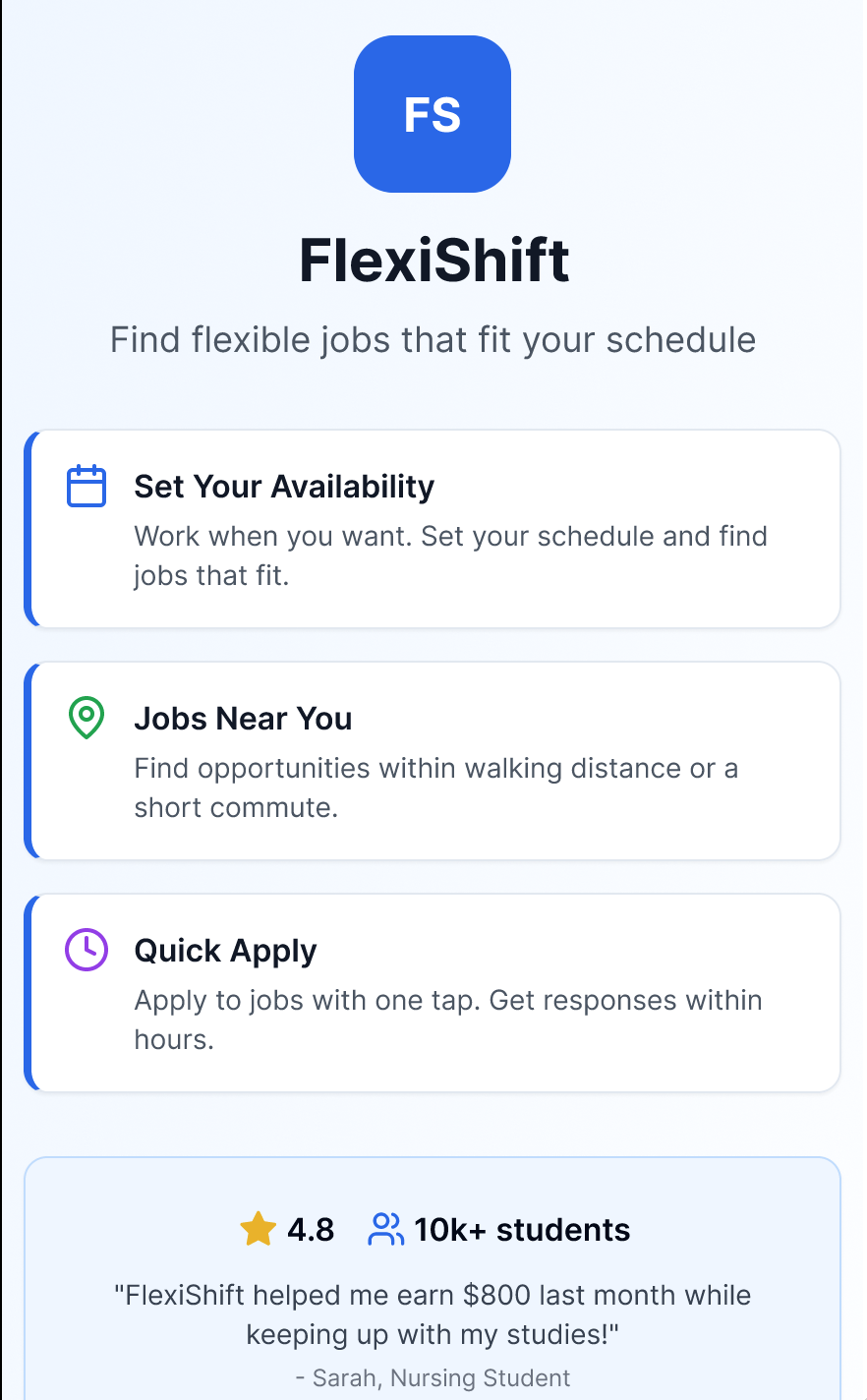
FlexiShift is a UX exam project focused on improving shift planning and scheduling. The project addressed challenges related to clarity, coordination, and decision-making for both employees and planners.
The case demonstrates how UX methods were used to navigate ambiguity, prioritise core user needs, and make informed design decisions within realistic constraints.
My Role & Responsibility
As the sole UX designer, I was responsible for the end-to-end UX process, including research planning, insight synthesis, interaction design, prototyping, and evaluation.
Beyond Execution
The role required prioritising which problems to address, making trade-offs between depth and feasibility, and maintaining a clear UX direction throughout the project.
Context
Academic UX project · ~1 month · 2024
Problem Framing
Initial exploration revealed that shift planning is not only a logistical challenge but also a cognitive and emotional one. Users struggled with understanding schedules at a glance, predicting upcoming shifts, and feeling in control of their time.
Rather than treating scheduling as a purely functional task, the problem was reframed around clarity, predictability, and reduced mental load.
Research & Insights
Given time constraints, qualitative methods were prioritised to gain depth rather than breadth. The project used interviews and competitive analysis of existing solutions.
Key Insights
Users value overview and predictability more than advanced features
Confusion often stems from how information is presented, not from lack of information
Small interaction improvements can significantly reduce frustration
These insights informed decisions about structure, hierarchy, and interaction patterns throughout the design.
Design Decisions & Trade-offs
Several design trade-offs were made during the project. These decisions were made deliberately to ensure the solution addressed the primary user problem within the available time and complexity constraints.
Prioritised clarity and information hierarchy over feature richness
Chose familiar interaction patterns to reduce learning effort
Limited scope to core scheduling flows rather than edge cases
Challenges & Constraints
The project was completed under limited time and with restricted access to real users, which influenced both the scope and choice of methods.
Limited user access
Access to relevant interview participants was limited. Desk research and competitive analysis were therefore used to add context and compare patterns.
No employer perspective
The project focused on workers only. A real product would need employer research to balance both sides.
Evaluation & Iteration
Feedback was used to assess information clarity, navigation and perceived control over scheduling.
Feedback led to adjustments in layout, terminology, and interaction flow, reinforcing the importance of iteration even within limited project timelines.
Final Design
The final solution provides a clearer overview of shifts, improved predictability of work schedules, and reduced cognitive effort when navigating planning information.
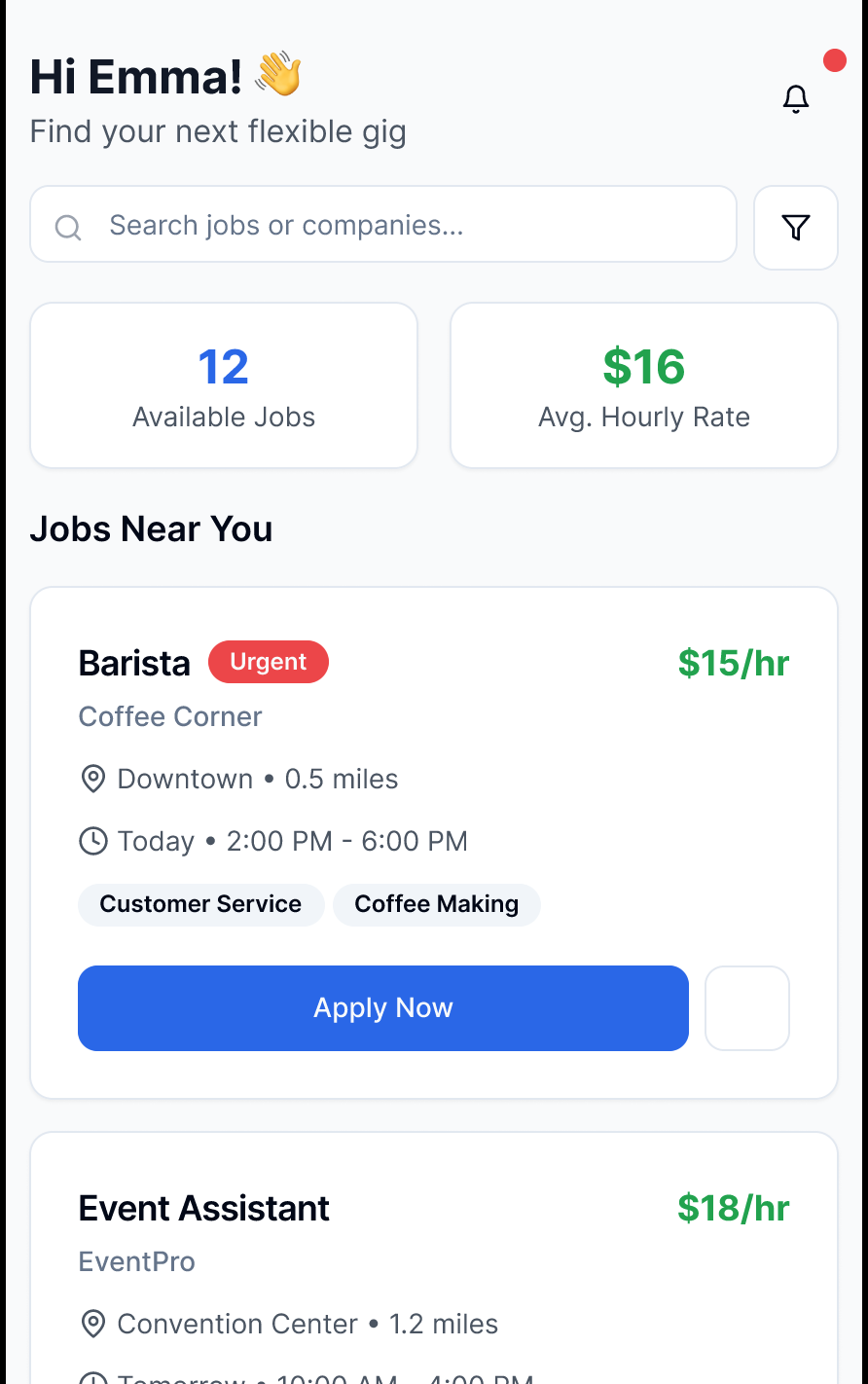
Insight 01
Need for a quick overview
→ Prioritised information hierarchy over more features
Shown in: Jobs overview
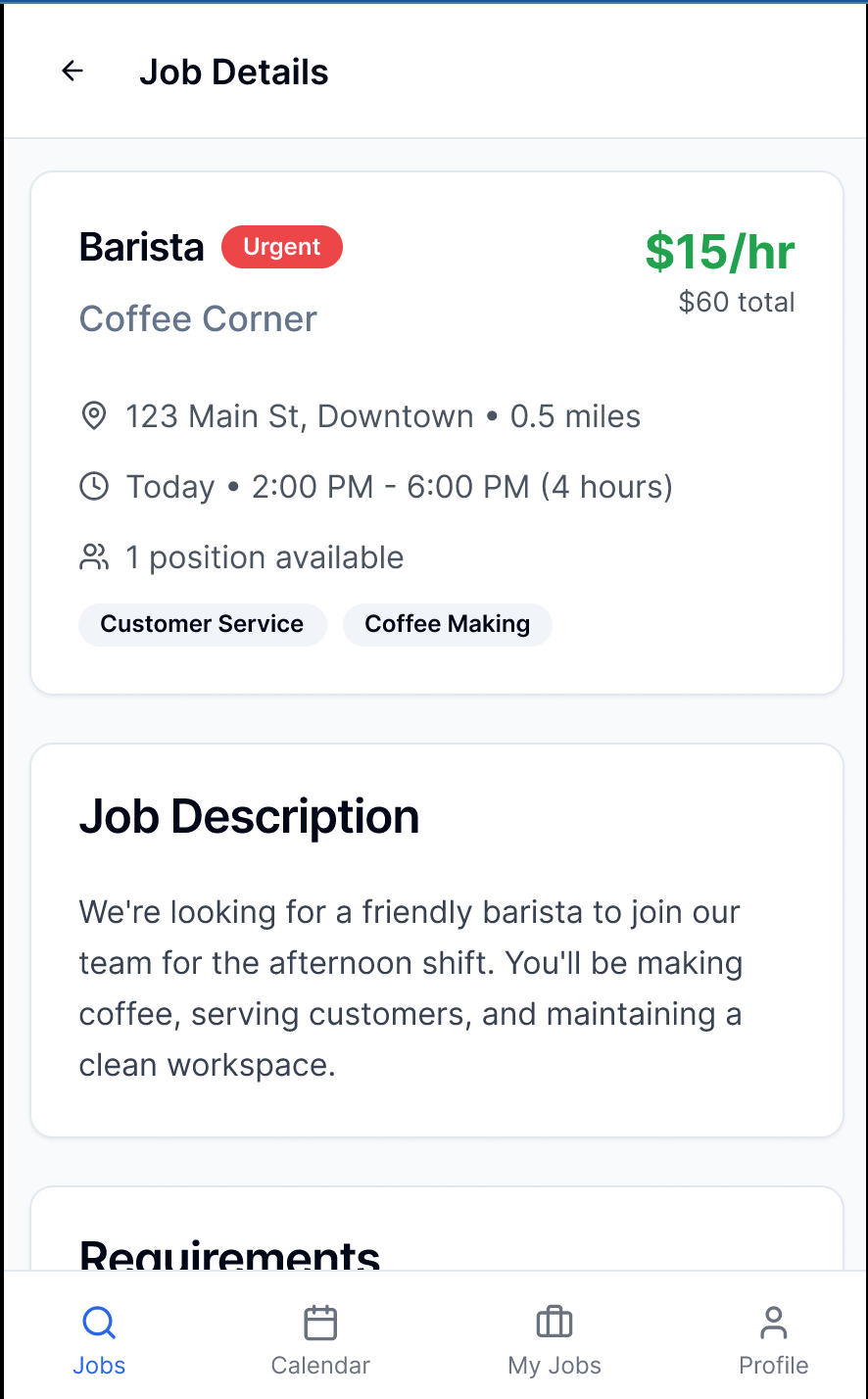
Insight 02
Need for predictability
→ Grouped relevant shift details in one clear flow
Shown in: Shift details
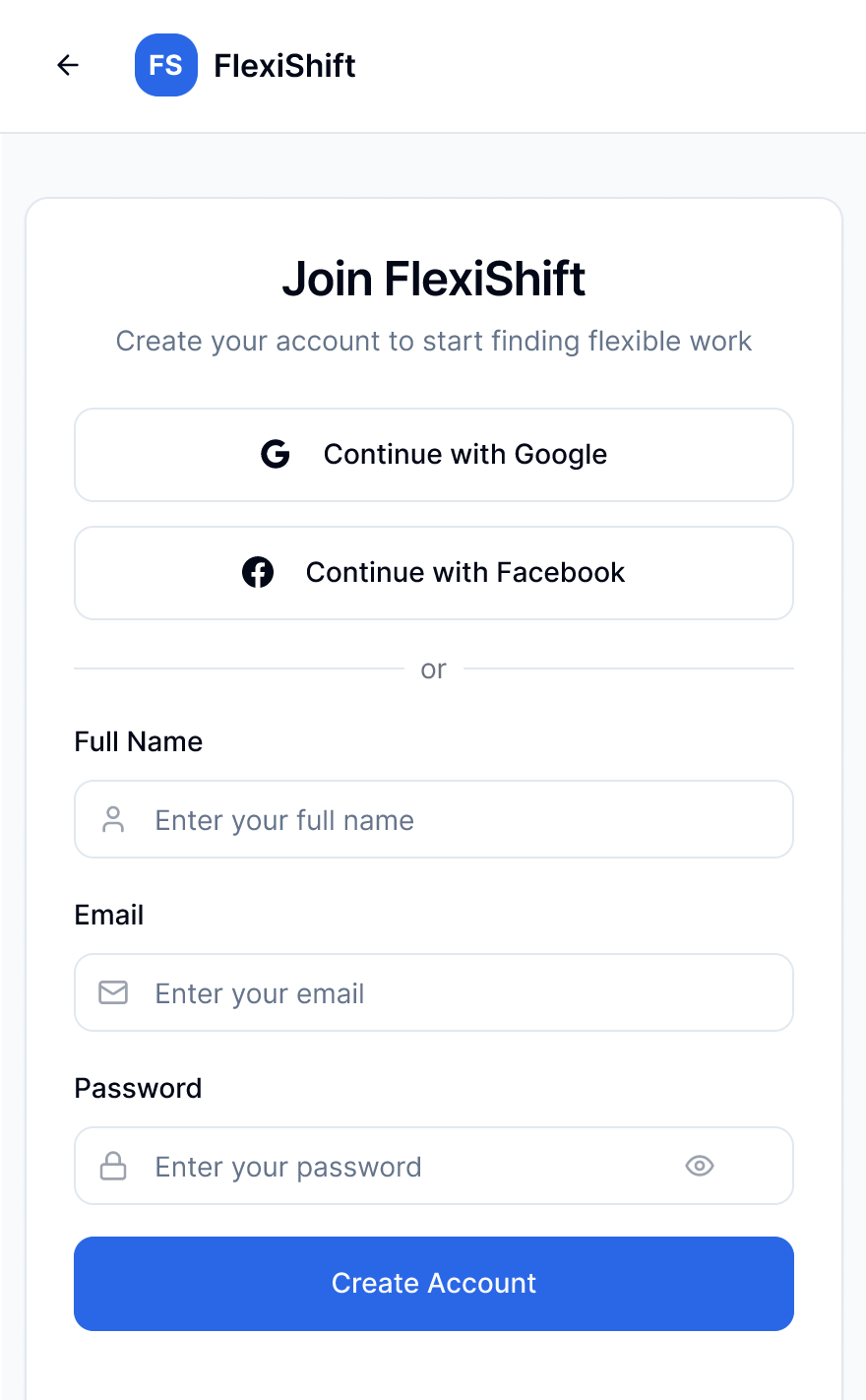
Insight 03
Need for low learning effort
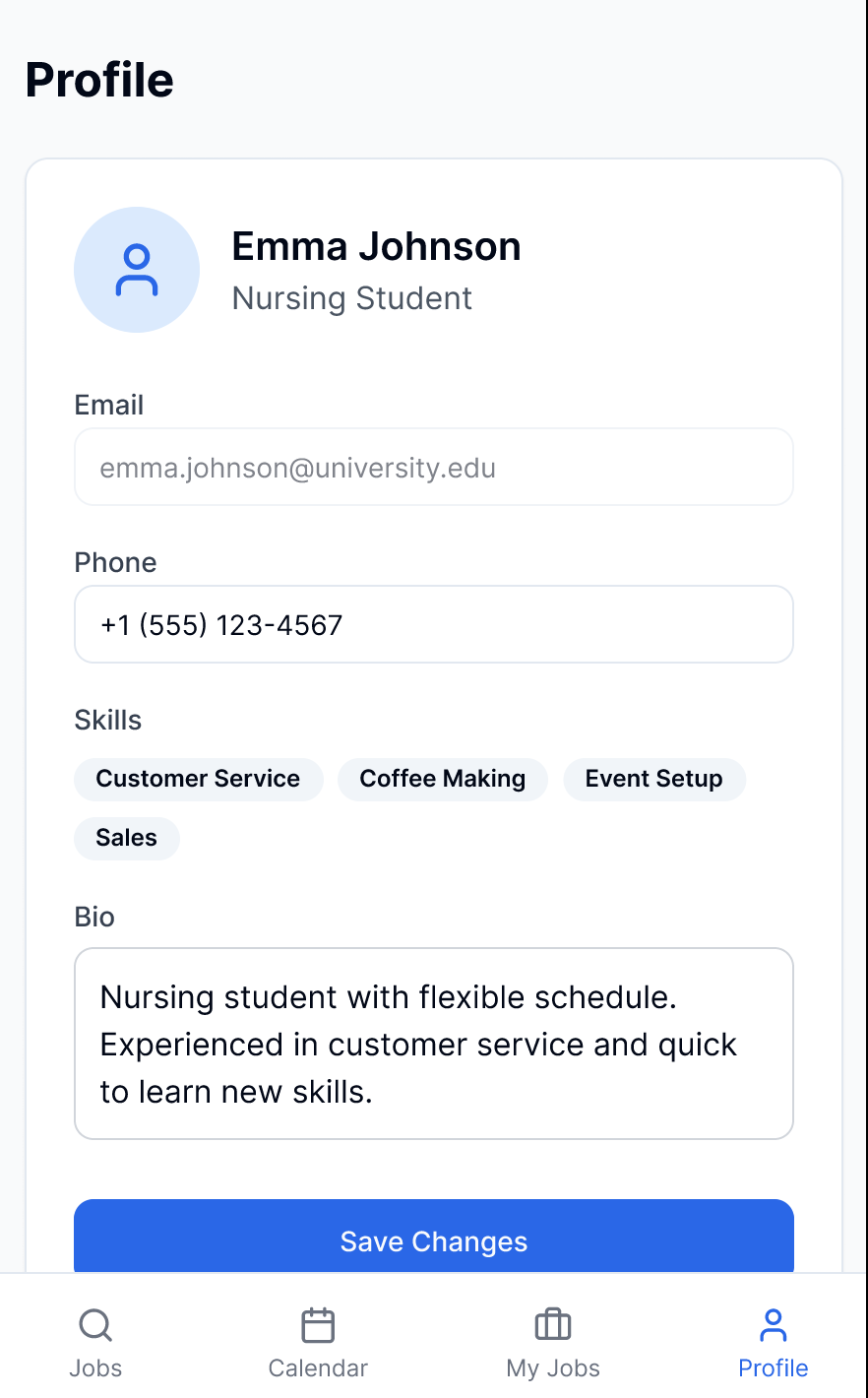
→ Used familiar patterns in sign-up and profile
Shown in: Sign-up and profile
Reflection & Learnings
This project reinforced several key learnings:
Effective UX design often involves deciding what not to include
Constraints shape better decision-making when approached deliberately
Clear structure and prioritisation can significantly improve user experience
Next Steps
With more time, the next steps would include broader user validation and deeper exploration of edge cases and collaborative workflows.